remotely unlocking an encrypted hard disk
Your mission, should you choose to accept it, is to sneak into the earliest parts of the boot process, swap the startup config without breaking anything, and leave without a trace.
Are you ready? Let's begin.
the setup
In which our heroes are introduced, and the scene is set.
For a very long time I had a beat-up old ThinkPad that couldn’t hold a charge for the life of it, especially when running Windows. It tended to die a lot when I was traveling, and I travel a lot. To save battery when I’m away from home, I often ssh back into my home desktop, both so I have persistent state even if my laptop battery dies, and so I get much faster builds that don’t kill the battery.
This has two small problems:
- Sometimes my home loses power and the desktop shuts off.
- Sometimes when the power comes back on it has a new public IP.
For a long time I solved 1. by enabling “Power On" after "Restore AC Power Loss” in the BIOS and 2. with tailscale. However, I recently installed Arch with an encrypted boot partition, which means that boot doesn’t finish until I type in the encryption password.
Well. Well. What if I Simply put tailscale in initramfs?
the plan
In which our intrepid heroes chart the challenges to come.
initramfs
Oh, right. If you weren’t aware, early boot in a Linux operating system1 is just running a full second operating system that happens to be very small, lol. That’s loaded from a compressed archive file in /boot2 and run from memory, with no access to persistent storage. This OS running from memory is called initramfs (initial RAM filesystem).
So when you see a screen like this:
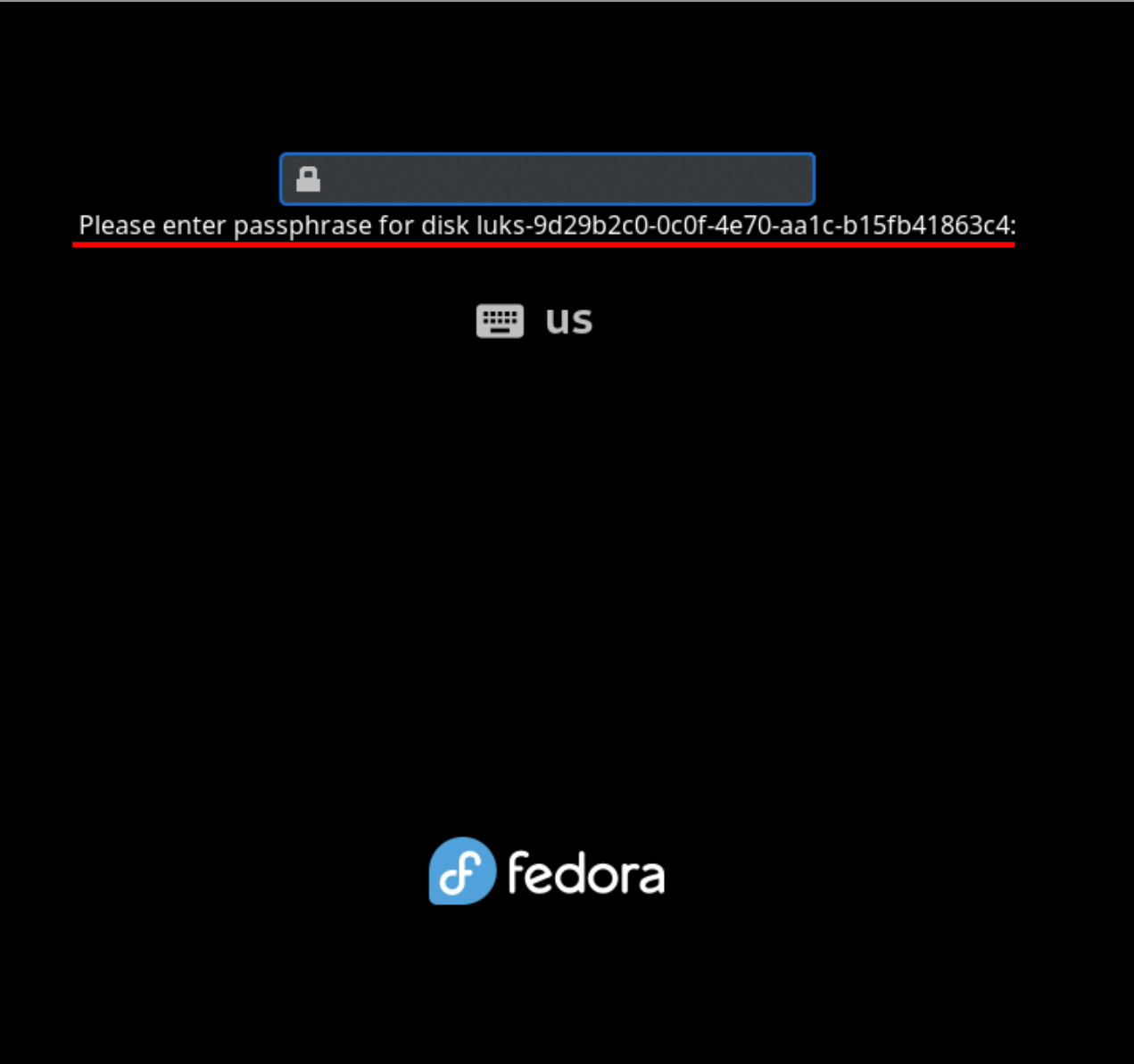 That’s actually a whole-ass OS, with an
 init PID and service management and everything. This is how, for example, systemd-analyze can show you stats about early boot — there’s another copy of systemd running in initramfs, and it passes its state off to the one in the main OS.
Well. That implies we can install things on it ^^.
constraints
There’s three parts to this:
- Networking in initramfs
- Tailscale in initramfs
- SSH in initramfs
We also want to make this as secure as possible, so there’s some more things to consider:
- Putting tailscale in initramfs means that it has unencrypted keys lying around.
- Tailscale keys expire (by default) after 90 days. At that point this will all break.
- You really really don’t want people to get SSH access to your early boot environment.
We can solve this in a few ways:
- Use Tailscale ACLs to only allow incoming connections to initramfs, not outgoing connections.
- Set the key to never expire.
- Set the SSH server to disallow all shells except the actual unlock command (
systemd-tty-ask-password-agent).
tailscale ACLs
Some background about Tailscale’s ACLs (“access control lists”). Tailscale’s users are tied to their specific login method: you can, for example, add a passkey, but that passkey counts as a fully separate user than your original account. Tailscale also has “groups” of users, which are what they sound like, “auto groups”, which again are what they sound like, “hosts”, which are a machine connected to the network, and “tags”.
Tags are odd, I haven't seen anything like them before. They group hosts, not users, and when you add a tag to a host, that counts as its login method, rather than the host being tied to a user account.
A consequence of this is that the group autogroup:member does not include tagged machines, because tagged machines aren’t tied to a user account. (A second consequence is that you can’t remove all tags from a machine without logging out and logging back in to associate it with your user account.)
So we can write a policy like this:
This says “allow devices tied to a user account to access any other device, and allow no permissions at all for devices tied to a tag”.
selene here is my desktop, and selene-initrd is its initramfs. 3
systemd before boot
Because initramfs is just a (mostly) normal Linux system, that means it has its own init
PID 1. On Arch, that PID is in fact just systemd. That means that we can add systemd
services to initramfs! There's a whole collection of them in
mkinitcpio-systemd-extras
(mkinitcpio is the tool Arch uses to regenerate initramfs).
We need two services: an SSH server (I went with
dropbear)
and something to turn on networking, which this collection names sd-network.
the heist
In which our heroes execute their plan flawlessly, sneaking in without a sound.
If you follow these steps on an Arch system, you should end up with roughly the same setup as I have. Most of these commands assume you are running as root.
-
Install the dropbear SSH server:
-
Install the systemd packages:
-
Add networking (
sd-network), tailscale (tailscale), and dropbear (sd-dropbear) to/etc/mkinitcpio.conf:< HOOKS=(base systemd autodetect microcode kms modconf block keyboard sd-vconsole plymouth sd-encrypt filesystems) > HOOKS=(base systemd autodetect microcode kms modconf block keyboard sd-vconsole plymouth sd-network tailscale sd-dropbear sd-encrypt filesystems) -
Set up the keys for your new tailscale device:
-
In the tailscale web console, mark your new device with
tag:initrd, and disable key expiry. It should look something like this: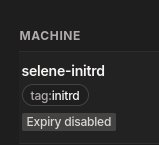
-
In
/etc/mkinitcpio.conf, configure dropbear to only allow running the unlock command and nothing else:SD_DROPBEAR_COMMAND="systemd-tty-ask-password-agent" -
Tell systemd to wait forever for a decryption password. I use
systemd-boot, so I edited/boot/loader/entries/linux-cachyos. Underoptions, I extended the existingrootflags=subvol=/@torootflags=subvol=/@,x-systemd.device-timeout=0. 4 -
Copy your public keys into
/root/.ssh/authorized_keysso they get picked up by the dropbear hook: -
Generate a new public/private keypair for use by the dropbear server.
-
Setup early networking. (Note: these instructions are only for Ethernet connections. If you want WiFi in early boot, good luck and godspeed.)
- Add the following config in
/etc/systemd/network-initramfs/10-wired.network:
[Match] ether [Network] DHCP=yes- Register it in
/etc/mkinitcpio.confso it gets picked up by thesd-networkhook:
SD_NETWORK_CONFIG=/etc/systemd/network-initramfsAll this rigamarole is necessary because the OS doesn't set the network interfaces to predictable names until late boot, so it needs some way to know which interface to use.
- Add the following config in
-
Last but not least, rebuild your initramfs:
mkinitcpio -P.
Next time you reboot, you should be able to ssh into $(hostname)-initrd and get a prompt
that looks like this:

the getaway
In which a moral is imparted, and our scene concluded.
The takeaway here is the same as in all my other posts: if you think something isn't possible to do with a computer, have you considered applying more violence?
-
and I believe in Windows, although I’m less sure about that ↩
-
sometimes /boot/EFI ↩
-
Here “initrd” stands for “initramdisk”, which is another word for our initramfs system. ↩
-
See the
sd-dropbeardocs for more information about this. ↩
Discuss on Hacker News, Lobste.rs, Mastodon, or Bluesky